Explore new ways to identify and collect birds
You can now identify birds by sound or photo—even without a Bird Buddy feeder—and log your sightings manually.
All you need is your phone: open the app, tap the floating + button in the Home or Collection tab, and choose whether to record bird sounds in real time using your microphone, snap a photo, or upload one from your gallery.
You can also manually log a bird you saw or heard during your walk using the Custom sighting option.
Here’s how each option works.
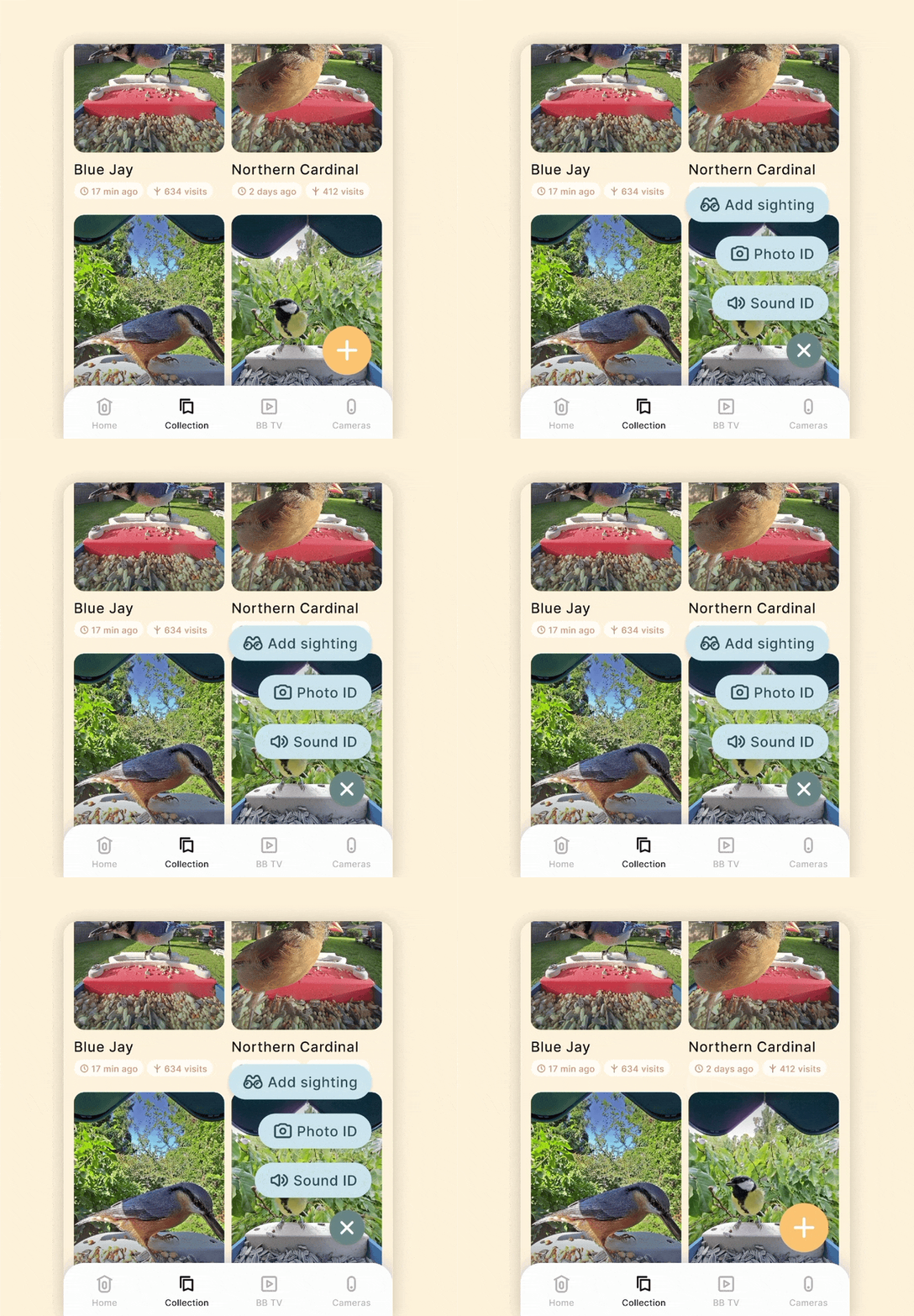
Identify bird calls and songs you hear around you. Just hold still, avoid talking or making noise, and let the birds sing — we’ll do the rest.
How it works:
- Tap the + button in your Collection and select Sound ID.
- If it’s your first time, you’ll be asked to grant microphone and location permissions and download the sound recognition model.
- Press record and stay still. We’ll analyze the sound and show you a list of possible matches.
- Tap a result to view its profile, or just tap the + icon to save it to your Collection if it’s a match.
Take or upload a bird photo to get instant identification and add it to your Collection.
How it works:
- Tap the + button in your Collection and select Photo ID, or use the “Not sure? Identify now!” link while logging a sighting.
- Grant camera, gallery, and location permissions if prompted.
- Snap a photo or choose one from your gallery and send it to identification.
- Tap a result to open the bird’s profile, or just tap the + icon to save it to your Collection if it’s a match.
Already know the species or want to log a sighting manually? You can add birds directly to your Collection.
Where to find it:
- Tap the + button at the bottom of your Collection.
- Use the + icon next to a bird in the Nearby or All Birds list to log a sighting.
- Tap the “Mark as spotted” button at the bottom of a bird’s profile.
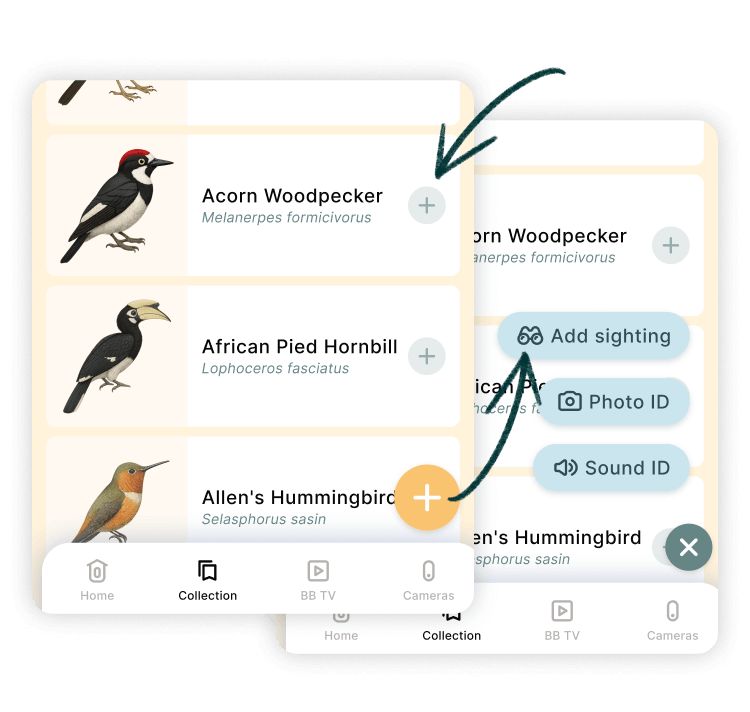
How it works
- Select the species you spotted.
- (Optional) Upload a photo of your sighting.
- Your location and date will be pre-filled if allowed.
- Tap Save sighting to add it to your Collection.
Where do these sightings go?
All sightings added through these methods—Sound ID, Photo ID, or manual selection—will be saved to your Collection, just like postcards.
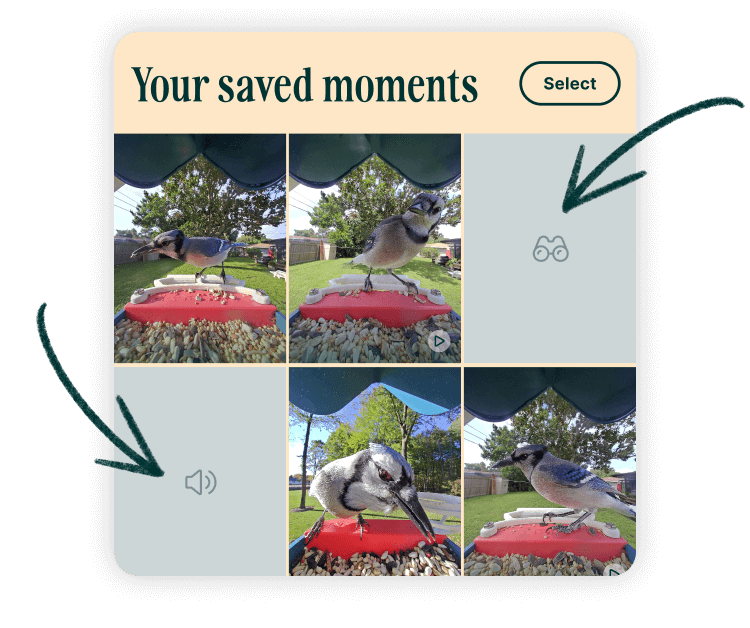
Each will be tagged as Manually added, and if no image is attached (like with Sound ID or a basic custom sighting), a simple placeholder image will appear in your Collection gallery.
To remove a sighting, just delete that image.
Need more information?
Explore more Bird Buddy app features →